
Wafeq Accounting Software Services in Saudi Arabia
Saudi businesses need accounting software that keeps daily financial work clear, organised, and compliant. Accounting Services KSA helps businesses set up Wafeq around their accounting needs, tax requirements, users, and reporting structure.
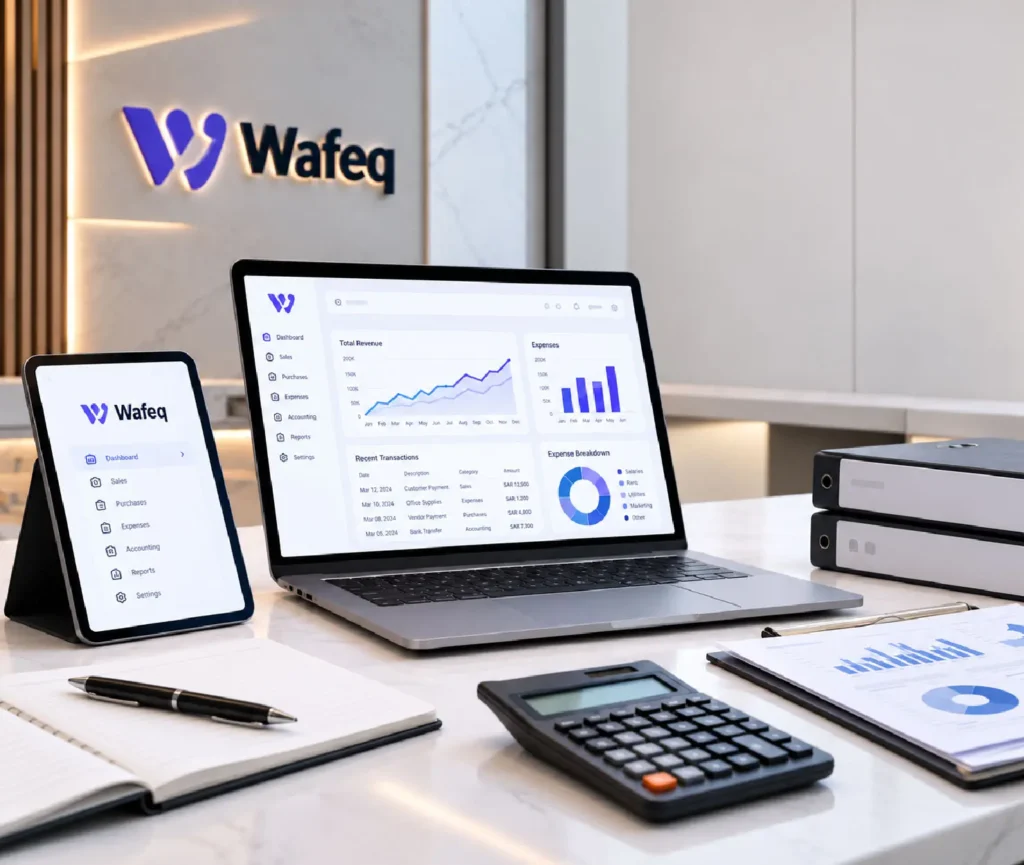
Wafeq accounting software Saudi Arabia can manage invoicing, expenses, VAT, inventory, payroll, and financial reporting from one platform. Wafeq also supports Saudi e-invoicing requirements and offers local support in English and Arabic.
Importance of Wafeq Accounting Software Saudi Arabia
Saudi businesses need reliable financial records for invoicing, VAT reporting, expense control, and management decisions. A cloud accounting system can bring these daily activities into one organised workspace.
Wafeq supports key Saudi accounting needs, including VAT returns, ZATCA-compliant e-invoicing, inventory tracking, payroll, and financial reports. Businesses can also manage multiple organisations or branches within the platform.

How Wafeq Accounting Software Supports Business Management
Businesses can use Wafeq to manage core finance tasks without keeping separate records for every activity. Its features cover several areas that finance and management teams handle each day.
- Sales Invoices: Create and manage customer invoices from one system.
- Purchase Records: Record bills, purchase orders, and supplier transactions.
- Expense Control: Track business expenses and employee claims.
- VAT Records: Record input and output VAT for relevant transactions.
- Inventory Tracking: Monitor stock and connect inventory activity with accounting.
- Financial Reporting: Review profit, cash flow, sales, and other financial information.
Wafeq Accounting Software Services Across Saudi Arabia
We help Saudi businesses configure Wafeq according to their finance workflows and operational requirements. Our Wafeq services Saudi Arabia support focuses on practical setup, accurate records, and smooth daily use.
Accounting Configuration
We set the core accounting settings according to your business structure and activities.
Chart of Accounts Setup
We organise accounts for revenue, expenses, assets, liabilities, and equity.
Invoice Configuration
We configure invoice details, customer information, payment terms, and applicable tax settings.
Expense Management Setup
We organise expense categories and recording rules for routine business spending.
User Access Configuration
We assign system access according to employee roles and finance responsibilities.
Financial Reporting Setup
We configure relevant reports for management review and regular financial checks.
Wafeq VAT Setup and Data Migration Services
A clean accounting setup starts with accurate records and correct tax settings. We review your existing information before transferring approved data into Wafeq.
VAT Configuration
We set applicable VAT rates and tax treatment for relevant transactions.
Accounting Data Review
We check existing records for missing, duplicate, or inconsistent information.
Customer and Supplier Migration
We prepare approved contact records for transfer into the new system.
Account Mapping
We match your existing chart of accounts with the required Wafeq structure.
Opening Balance Preparation
We prepare verified opening balances for the agreed migration date.
Migration Checks
We compare transferred records with source data and resolve identified differences.
Wafeq ZATCA E-Invoicing Configuration
Saudi businesses must follow applicable ZATCA e-invoicing requirements when issuing electronic invoices. Wafeq supports Saudi e-invoicing and Phase 2 integration, including the required technical connection for applicable businesses.
- Business Details: Enter the required company and tax information.
- Invoice Settings: Configure invoice types and required fields.
- QR Code: Support required QR information on applicable invoices.
- Phase 2 Connection: Connect the system with the ZATCA platform where required.
- Invoice Testing: Check invoice data before regular business use.
- Record Keeping: Maintain electronic invoice records within the accounting workflow.
Wafeq Integration With Business Systems
Businesses often need accounting data to connect with other systems. Wafeq offers integrations across areas such as banking, payments, inventory, HR, and business operations.
- Banking: Connect supported banking information with accounting records.
- Payment Platforms: Bring relevant payment data into financial workflows.
- Point of Sale: Link supported sales activity with accounting records.
- E-Commerce: Connect online sales data through supported integrations.
- Inventory: Keep stock information aligned with financial records.
- Business Tools: Review available API and integration options for specific needs.
Our Wafeq Implementation Process
We follow a clear implementation sequence to reduce setup errors and prepare the system for daily accounting work. Our Wafeq implementation services Saudi Arabia cover the main technical and accounting stages.
Requirements Review
We identify your business activities, users, branches, and accounting requirements.
Accounting Structure Check
We review your existing accounts and reporting structure.
System Setup
We configure the approved Wafeq settings and selected features.
Data Preparation
We check the records required for migration and opening balances.
Testing
We test accounting entries, invoices, tax settings, reports, and user access.
User Handover
Accounting Services KSA explains the configured workflows to your finance team before launch.
Information We Need Before Starting Wafeq Setup
We collect key business and accounting information before starting the setup. This helps us configure the system around your actual records and daily finance work.
Provide your legal name, activity, and registration information.
Share your VAT registration and relevant tax information.
Provide your existing chart of accounts and financial records.
Share approved customer and supplier information.
Provide verified balances for the agreed migration date.
List finance users and the access each person needs.
Cost and Timelines for Wafeq Accounting Software Saudi Arabia
Wafeq subscription costs depend on the selected plan and billing period. Current Saudi plans include Starter, Plus, and Premium, with features and limits varying by plan.
Service |
Estimated Professional Fee (SAR) |
Estimated Timeline |
|---|---|---|
Basic Wafeq Setup
|
SAR 1,500–2,500
|
2 to 4 business days
|
Accounting Configuration
|
SAR 2,500–4,000
|
3 to 5 business days
|
Data Migration
|
SAR 3,000–5,500
|
3 to 7 business days
|
VAT and E-Invoicing Setup
|
SAR 1,500–3,000
|
1 to 3 business days
|
Integration Setup
|
SAR 2,500–5,000
|
3 to 10 business days
|
Complete Implementation
|
SAR 5,000–9,000
|
1 to 3 weeks
|
Ongoing Support
|
SAR 1,500–4,000/month
|
Monthly
|
Disclaimer: Professional fees cover the agreed implementation or support work and do not include Wafeq subscription charges. The final quotation depends on records, users, integrations, migration volume, and the level of assistance required.
Industries We Serve With Wafeq Accounting Software Saudi Arabia
Each business sector has different transaction patterns, reporting needs, and financial controls. We configure the system around the actual way your business records and manages its finances.
Manage sales, purchases, expenses, and stock records.
Trading
Track supplier transactions, customer balances, and inventory.
Professional Services
Manage client billing, expenses, and payments.
Construction
Record project costs, purchases, and financial activity.
Restaurants
Organise sales, purchasing, stock, and operating expenses.
E-Commerce
Record online sales, payments, and related costs.
Wholesale
Monitor inventory, customer accounts, and supplier activity.
SMEs
Maintain organised financial records as the business grows.
Why Choose Our Wafeq Accounting Services in Saudi Arabia?
A good accounting system needs more than basic software activation. Accounting Services KSA combines accounting knowledge with practical Wafeq configuration for Saudi businesses.
- Saudi Market Knowledge: Apply relevant local accounting and tax requirements.
- Practical Setup: Configure functions around your actual business activities.
- Data Accuracy: Check records before and after migration.
- Compliance Focus: Review applicable VAT and e-invoicing settings.
- Finance Team Guidance: Help users work correctly within the configured system.
- Ongoing Assistance: Support changes and accounting requirements after launch.
Note: The above-mentioned services are provided via network firms if not provided directly
Get Your Wafeq Accounting System Ready for Daily Use
A properly configured system gives your finance team a clearer way to manage invoices, expenses, tax records, and financial reports. We help you move from initial setup to regular accounting work with practical support.
Wafeq accounting software Saudi Arabia can deliver better results when the configuration matches your accounting structure and daily operations. Accounting Services KSA can support the setup, review, and transition to regular use.

FAQs
Can Wafeq support Saudi VAT reporting?
Yes. Wafeq provides VAT features that help businesses record taxable transactions and prepare VAT return information. Finance teams should review the figures before filing.
Can we move our records from another accounting system?
Yes. We can prepare customer, supplier, account, transaction, and opening balance data for migration based on the available source records.
Does Wafeq support Arabic?
Yes. Wafeq supports both Arabic and English, which suits businesses operating with local teams and customers in Saudi Arabia.
Can Wafeq manage more than one business?
Yes. Wafeq supports multiple organisations, while available limits and features depend on the selected subscription plan.
Can Wafeq connect with external business systems?
Yes. Wafeq provides integrations for areas such as banking, payments, inventory, HR, and other business functions. Available connections depend on the specific system.
Can you support Wafeq after the initial setup?
Yes. We can assist with configuration changes, accounting questions, system checks, user support, and additional requirements after implementation..